Reducing decision fatigue around everyday meals with a clear, trustworthy, and action-oriented homepage that surfaces AI-powered suggestions, nutrition context, and a single-tap path to eating better.
Role: Lead Product Designer(UI/UX)
Timeline: 2 weeks
Platform: iOS & Android
Setting the Scene
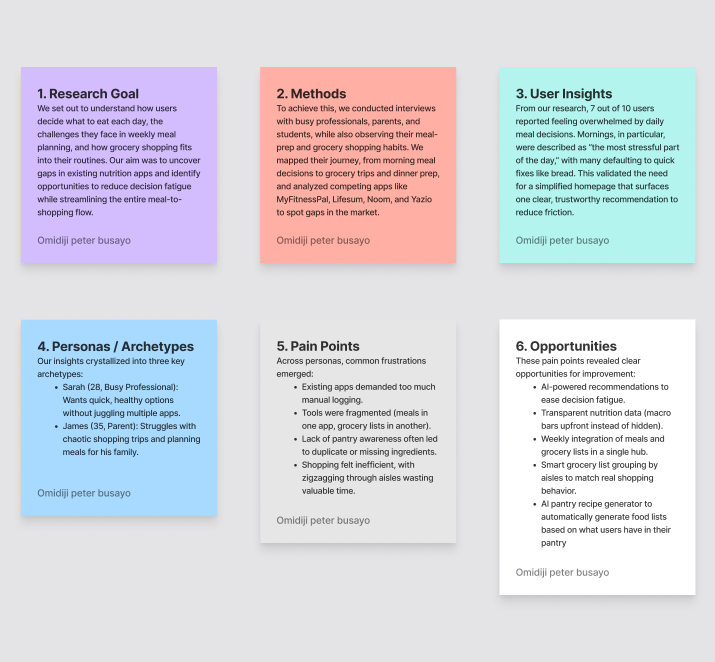
'By the time I'm done thinking about what to eat, I just grab bread.” Interviewee, 29 Everyday meals weren't failing because people didn't care about nutrition. They were failing because of decision fatigue. Our early interviews revealed a repeating pattern: users spent so much mental energy deciding what to eat, they defaulted to quick, often unhealthy, options. Sarah, one of our core personas (a 28-year-old busy professional), described mornings as the hardest: 'I don't want to scroll through five apps just to figure out breakfast. By then, I've already lost motivation.'
The Challenge
How might we help users quickly decide what to eat without overwhelming them with choices or requiring manual calorie tracking? We identified three gaps in existing solutions (MyFitnessPal, Lifesum, Noom, Yazio):
They demanded too much logging.
Nutrition data felt hidden or complex.
Recommendations weren't personalized enough to inspire trust.
My Approach
1. Framing the Solution
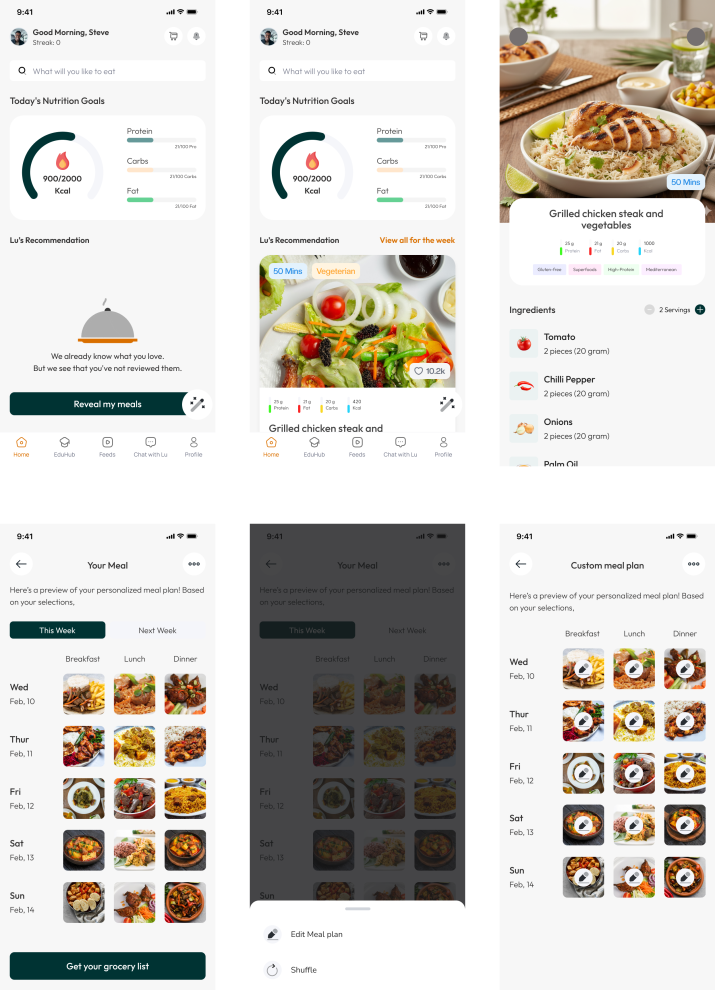
Present daily meal recommendations upfront.
Provide clear nutritional breakdowns without extra effort.
Create a centralized daily summary powered by Lu AI so users could see their full day at a glance.
2. Design Execution
Designed hero meal cards with macros and calories simplified into visual bars.
Integrated AI-powered summaries of daily nutrition.
Built a clean hierarchy for quick scanning (Breakfast → Lunch → Dinner).
3. Collaboration
Worked closely with developers to ensure nutrition data rendered responsively across devices.
The Breakthrough
The turning point came during usability testing when a user remarked, 'This looks exactly like my supermarket aisles, I don't have to zig-zag anymore.' That moment validated our approach: the grocery list wasn't just functional, it aligned seamlessly with how people already shop. It proved the design was more than a digital feature, it was an experience that fit naturally into users' daily routines.
My Process
Step 01
Discovery & Research
These findings directly informed our design: decision fatigue led to the daily recommendation card, forgotten items shaped the aisle-based grocery list, and planning stress inspired the weekly and next-week preview.
Step 02
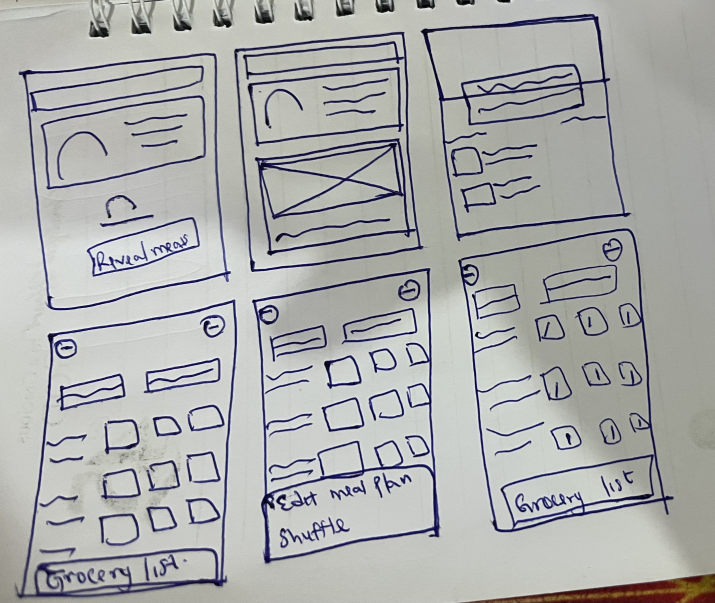
Concept & wirefreames
Early sketches emphasized simplicity: one card, one decision. As we moved to high-fidelity designs, we layered in clear nutrition breakdowns, portion sizes, and quick ‘add to grocery list’ actions. This preserved focus while adding depth for users who wanted more detail.
Step 03
Final Design
The final design starts with a daily recommendation card to reduce decision fatigue. Meals can be expanded into food information with calories and macros for transparency. A weekly overview with next-week preview helps users plan ahead, while the smart grocery list auto-compiles ingredients by aisles for faster shopping.”
“I love that I don't have to think. The card just tells me what's good for me today.”
Outcomes
80%
Reported less frustration choosing meals
50%
Spent less time deciding
+30%
Increase in homepage interactions
During usability testing, 80% of participants reported feeling less frustration when choosing meals, while 50% spent less time deciding. These results validated our hypothesis: when choices are clear and contextual, users feel more in control of their nutrition.